
Steam Deck Review 2026: Specs, Performance & OLED Upgrade
If you are heavily invested in the 🎮 PC (Microsoft Windows) Game Hub ecosystem, Valve's Steam Deck is the premier way to take your library on the go. This review breaks down the device's hardware, the differences between the LCD and OLED models, and how SteamOS handles your existing PC games.
Key Facts
- Equipped with a custom AMD APU and 16GB LPDDR5 RAM, providing portable performance capable of running modern AAA titles.
- Available in two display variants: LCD (256GB) and OLED (512GB/1TB). The OLED model features a larger screen, a 90Hz refresh rate, and HDR support.
- Utilizes SteamOS 3 and the Proton compatibility layer, allowing you to play Windows games natively on a Linux-based handheld without developers needing to port them.
- Features a native Suspend/Resume function, bridging the gap between console convenience and PC gaming.
Disclaimer: The links provided herein are affiliate links. If you use them, I earn a commission at no extra cost to you.
Hardware and Performance
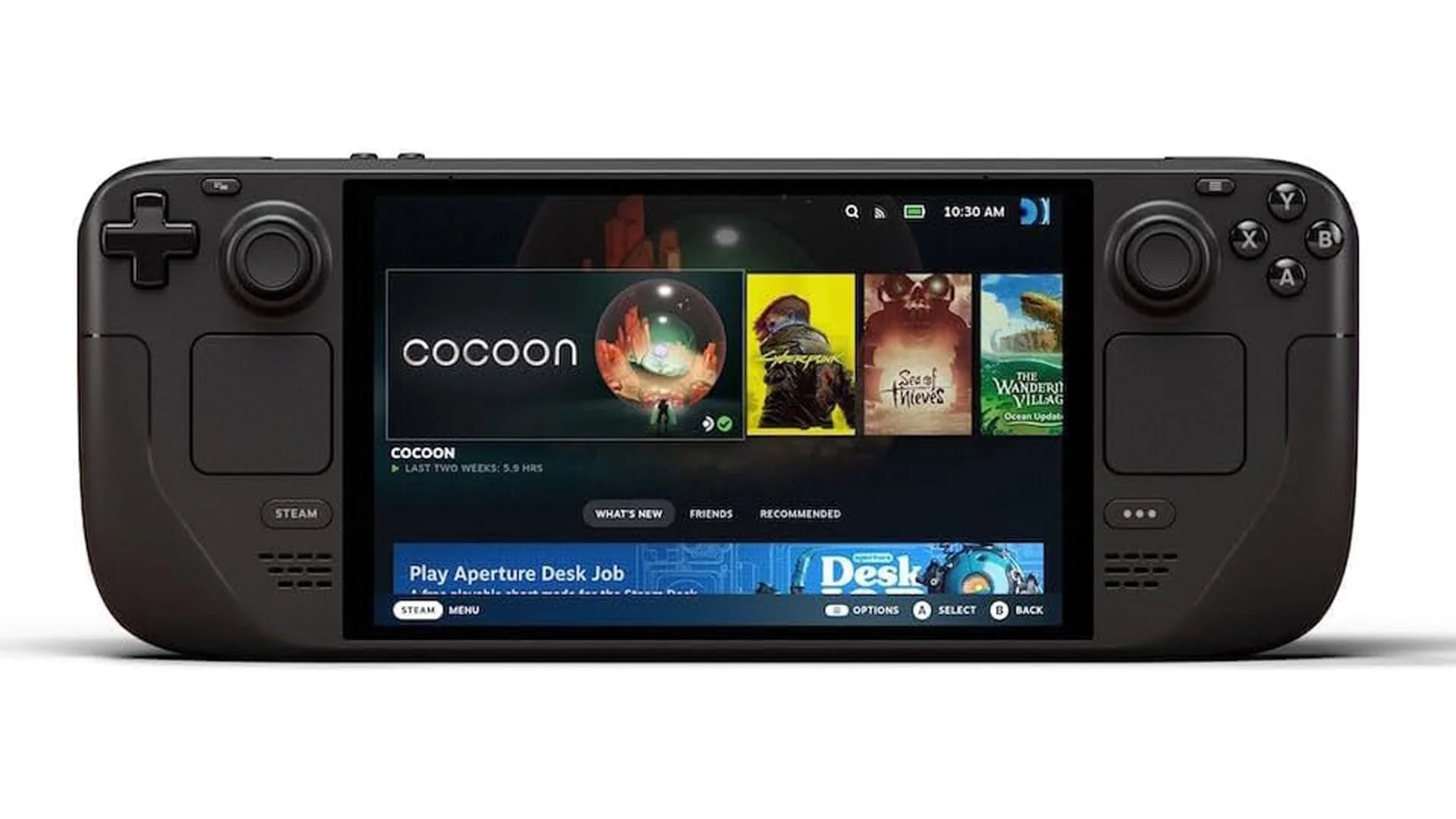
The Steam Deck operates as a full-fledged handheld gaming PC. Under the hood, it utilizes a custom AMD APU combining a Zen 2 CPU and an RDNA 2 GPU. This architecture dynamically shifts power between processing and graphics depending on the game's immediate demands.
Both the LCD and OLED models feature 16GB of LPDDR5 RAM and utilize high-speed NVMe SSDs for storage. This ensures load times that mirror traditional desktop PCs. The raw performance comfortably handles older titles at locked 60 FPS, while modern, demanding games can typically be tuned to run at a stable 30 or 40 FPS.
Display Options: LCD vs OLED

Valve currently sells two main hardware revisions:
- LCD Model (256GB): Features a 7-inch, 60Hz screen at 1280x800 resolution. This acts as the entry-level device.
- OLED Model (512GB & 1TB): Upgrades the screen to a 7.4-inch HDR OLED display with a 90Hz refresh rate.
The OLED screen provides pure blacks by turning off individual pixels, dramatically increasing contrast. Furthermore, the OLED model includes an upgraded Wi-Fi 6E module for faster downloads and lower latency during online multiplayer.
SteamOS 3 & Game Compatibility

The Steam Deck does not run Windows out of the box. It uses SteamOS 3, an Arch Linux-based operating system. To play your Windows games, Valve employs "Proton," a compatibility layer that translates Windows API calls to Linux on the fly.
To help users, Valve created the "Deck Verified" system, which categorizes games into three main tags:
- Verified: Works perfectly with default controller settings and easily readable text.
- Playable: Runs well but may require minor tweaks, such as manually invoking the on-screen keyboard.
- Unsupported: Games that will not launch or cannot connect to multiplayer servers, typically due to aggressive kernel-level anti-cheat software (like those found in *Valorant* or *Destiny 2*).
Battery Life & Power Management

The LCD model features a 40Wh battery, while the OLED model increases this to a 50Wh battery. Because OLED screens consume less power and the OLED APU is built on a more efficient 6nm process, the OLED model delivers 30% to 50% longer battery life.
Both devices allow players to maximize playtime using the quick-access menu. You can set per-game profiles to lock frame rates, lower the Thermal Design Power (TDP), and enable AMD FSR (FidelityFX Super Resolution) to stretch your battery life significantly on less demanding titles.
Summary
The Steam Deck remains the gold standard for handheld PC gaming. While the entry-level LCD model is incredibly capable, the OLED version offers a vastly superior screen, better battery life, and faster Wi-Fi. If you want direct, uncompromised access to your Steam library from the couch or on a commute, the Steam Deck is worth the purchase.
Frequently Asked Questions
Can the Steam Deck run all Steam games?
No. While Proton translates most Windows games flawlessly, titles that rely on strict, kernel-level anti-cheat engines are currently unsupported.
Is it possible to expand the storage capacity?
Yes. You can instantly expand storage by inserting a MicroSD card into the bottom slot. Games run surprisingly well directly off high-speed MicroSD cards.
Can I use the Steam Deck as a regular PC?
Yes. Switching to "Desktop Mode" gives you full access to a Linux desktop environment. You can connect it to an external monitor, keyboard, and mouse via a USB-C dock to use it for web browsing, productivity, or installing third-party launchers.
Author Details

Mazen (Mithrie) Turkmani
I have been creating gaming content since August 2013, and went full-time in 2018. Since then, I have published hundreds of gaming news videos and articles. I have had a passion for gaming for more than 30 years!
Ownership and Funding
Mithrie.com is a Gaming News website owned and operated by Mazen Turkmani. I am an independent individual and not part of any company or entity.
Advertising Policy
Mithrie.com is supported by advertising revenue to sustain independent gaming journalism. We utilize partners such as Google AdSense and may work with other ad networks in the future. Editorial content remains objective and is not influenced by advertisers or sponsorships unless explicitly stated.
Use of Automated Content
Mithrie.com uses AI tools (including ChatGPT and Google Gemini) to assist in structuring and formatting content. All news stories are fact-checked, edited, and verified by Mazen Turkmani to ensure accuracy and journalistic integrity.
News Selection and Presentation
The news stories on Mithrie.com are selected by me based on their relevance to the gaming community. I strive to present the news in a fair and unbiased manner.